Skip to content
Welcome back — jump to Tutorials, Support & Docs, or What’s New. Go to PlatformNot you?Log out
Platform AI Agents Customers Developer Docs Services Company Careers Blog 2026 Benchmark Report Resources Comparisons Buyer's Guide Integrations Use Cases Tutorials Events Sign In Book a Demo

MetadataONE for iPhone

Take action from your iPhone.

Create audiences, generate creative, build landing pages, and prepare campaign drafts from your phone. Put the tools connected to your advertising accounts to work.

For existing MetadataONE customers. Requires iOS 17 or later.

From request to campaign draft

See the work happen.

Watch a campaign take shape on an iPhone: an audience, an ad, a landing page, and a draft ready to review.

  1. Build the audience.Define who you want to reach and inspect the targeting.
  2. Create the assets.Generate an ad and landing page, then open their previews.
  3. Review the draft.Bring the audience, creative, channel, and budget together.

60-second illustrative demo. The example campaign stays in draft.

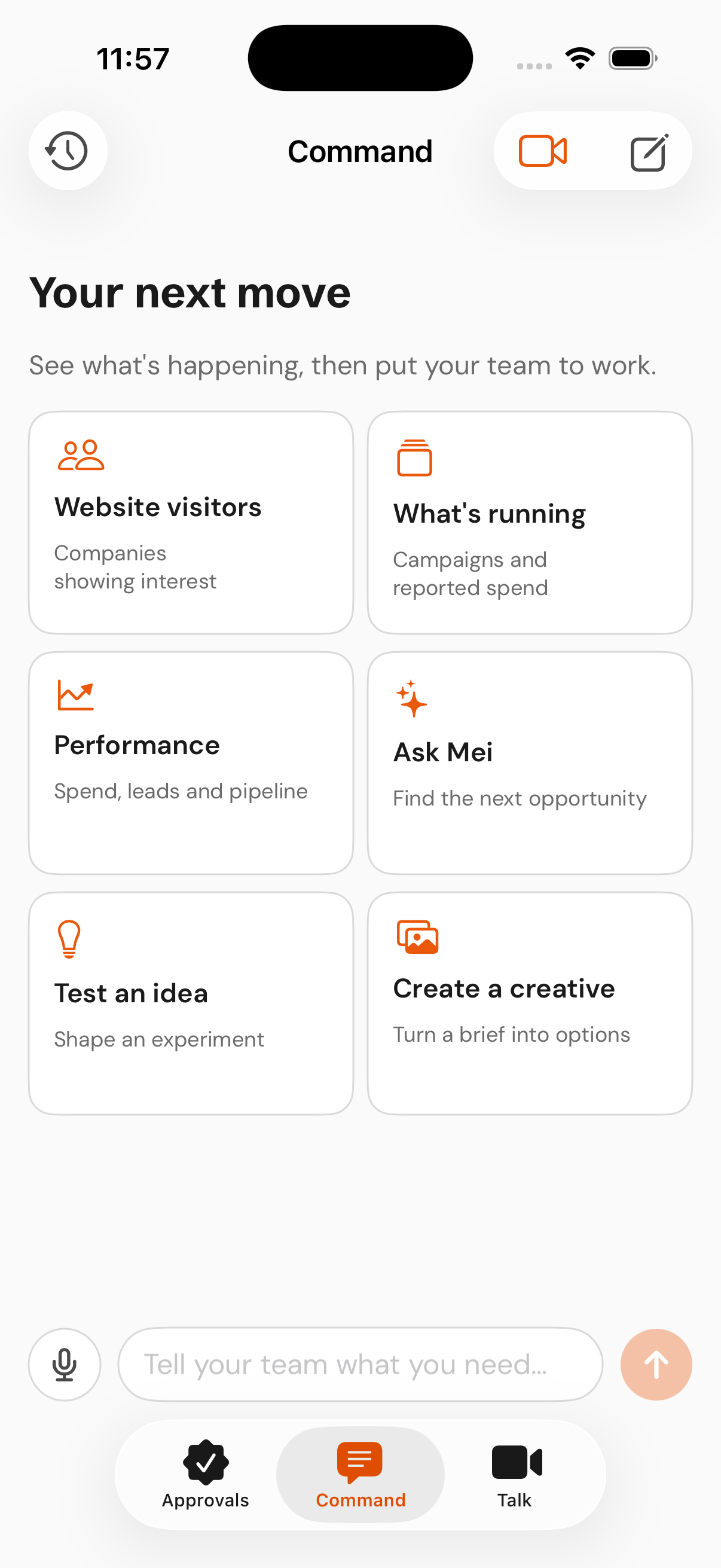
MetadataONE Command on iPhone, with shortcuts for campaigns, performance, ideas, and creative.
Select the screen to watch the demo.

Command · Approvals · Talk

Keep campaign work moving.

Give the team a task.

Type or speak in Command. Ask for an audience, creative, landing page, or campaign draft.

Make the next decision.

Review campaign plans with their budget, audience, and context before you approve.

Talk through the work.

Use Talk for a live voice conversation with your AI marketing team.

Before you get started.

Do I need a MetadataONE account?

Yes. The iPhone app is for existing MetadataONE customers. Sign in with your account after installing it. If you’re new to Metadata, book a demo using the form above.

Can I review work before a campaign goes live?

You can review campaign plans, audiences, budgets, and context before making your approval decision. The video shows a campaign saved as a draft.

Which iPhones are supported?

The app requires iOS 17 or later. See the App Store listing for current compatibility details.

Take action from your iPhone.

60 seconds. Illustrative demo.

Read the demo transcript

Using the illustrative RelayOps campaign, ask the team to prepare a LinkedIn campaign and save it as a draft.

  1. Create a US software audience of revenue leaders at companies with 200 to 999 employees. Open the saved audience and inspect its targeting criteria.
  2. Generate a LinkedIn ad for a revenue handoff audit. Open the creative preview and review its headline and “Book your audit” call to action.
  3. Create a landing page for the same offer and open its preview.
  4. Attach the audience, ad and page to a LinkedIn campaign with an example budget of $150 per day. Review the assembled draft and saved assets. The campaign is not launched.