
Appear when customers and prospects are searching for your competitors on Google with this playbook.
Google Ads
Pipeline Generation
Hey I’m Silvio Perez, Head of Product Innovation at Metadata.
There’s nothing like seeing your competitors bid all over your branded terms.
For better or for worse Google allows this activity to happen.
If you’re not going on the offensive and appearing when customers/prospects are searching for your competition that can be a missed opportunity.
Competitive search can be great for driving awareness and hand raisers.
You’ll just want to make sure the average CPC makes sense before getting started.
Understanding Competitor-Focused Paid Search Campaigns
Competitor-focused paid search campaigns involve bidding on keywords related to your competitors’ brands, allowing your ads to appear when potential customers search for your competition. In B2B, these campaigns offer a powerful opportunity to capture market share by targeting prospects who are already evaluating solutions in your space.
This strategy connects you with solution-aware prospects at a critical decision-making stage. Rather than educating users about their problems, you’re reaching an audience that understands their needs and is actively comparing options. By appearing alongside your competitors in search results, you position your solution as a viable alternative while expanding your brand’s visibility to a highly qualified audience.
Here’s a quick rundown of how this works.
Video Tutorial
How it works
- Create a list of competitive keywords to target such as “competitor”, “competitor alternatives”, and “competitor pricing”.
- Write ad copy that peaks interest but doesn’t plagiarize your competitors (you want to do this with class).
- Direct prospects/customers researching your competition to a dedicated comparison page showing how your brand compares to competitors.
Research and Planning Phase
Before launching competitor-focused campaigns, you need a solid foundation of research and analysis, essential for enterprise-level B2B campaigns with higher stakes and budgets.
Competitor Identification and Analysis
Start by identifying your main competitors in the paid search landscape. Use the Google Ads Auction Insights report to see who consistently appears alongside your ads. Complement this with competitive intelligence tools like Semrush, SpyFu, or iSpionage for a comprehensive view of their activities.
Keyword and Strategy Analysis
Analyze competitors’ keyword strategies and ad copy patterns. Look for brand name variations, product-specific terms, ad copy themes, and landing page strategies. Use Similarweb to estimate their PPC spend and campaign consistency to understand their investment level and identify opportunities.
Budget and Resource Planning
Allocate a dedicated budget for competitor campaigns separate from your primary paid search efforts. These campaigns often have higher CPCs and require resources for creating competitor-specific landing pages, monitoring, and optimization.
The Playbook
Research and build your competitive keyword list.
Head over to Library → Google Assets → Positive Keywords → Add New Keywords
Enter the desired competitive keywords you’d like to target.
We recommend the following:
- competitor name
- competitor alternatives
- competitor pricing
- competitor reviews
- competitor vs your brand name
For example for us at Metadata, this is what that would look like:
- 6sense
- 6sense alternatives
- 6sense pricing
- 6sense reviews
- 6sense vs metadata
Replace ‘competitor name’ with your competitor.
Repeat for each competitor you’d like to target.
Advanced Keyword Selection and Match Types
Consider using different keyword match types (exact or phrase) to control when your ads appear. Exact match ensures your ads show only when the exact keyword is searched, while phrase match allows for variations. This strategy helps manage your budget effectively and targets the most relevant searches.
Create your paid search budget group (if applicable)
Head over to Campaigns → Budget Groups → Add New Group
How you set your group is completely optional based on your budget and goals.
If you want to guarantee that a certain amount of spend is allocated towards a specific channel then create its own dedicated group as outlined below.
For example:
- Group Name = Paid Search
- Goal = Lead Generation
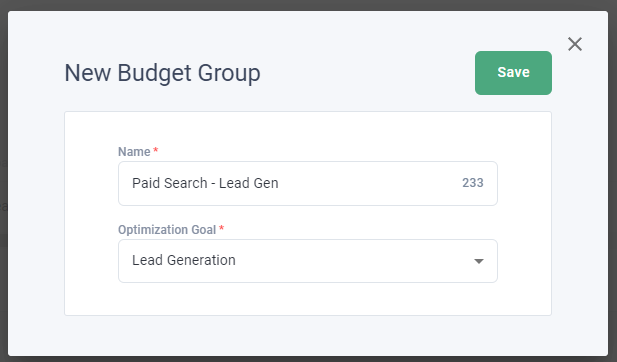
If you don’t mind your budget is shared across different channels that support the same goal create one group as outlined below.
For example:
- Group Name = Demo Request
- Goal = Lead Generation
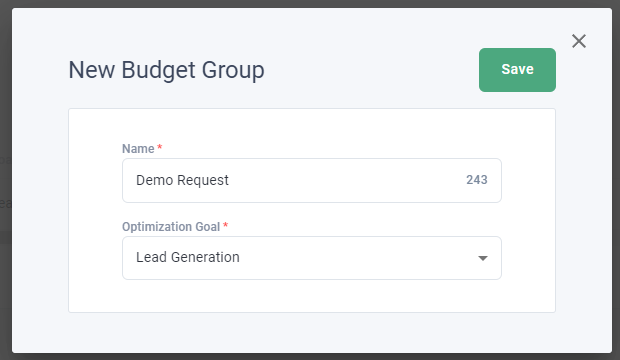
If you already have a group created that you’d like to use then skip this step.
Build your competitive landing page offer you’re driving traffic towards.
Head over to Library → Offers → Add New Offer → Landing Page for Lead Generation
Enter your Landing Page URL (required) and Thank You Page URL (optional).
If you don’t have a thank you page, no worries! Just enter your landing page URL again.
(You’ll still be able to capture leads in Metadata without a Thank You Page URL).
Select ‘Retrieve Form Fields’ and map your fields accordingly.
IMPORTANT: email is the only required field but if the mapping is incorrect can cause lead capture issues.
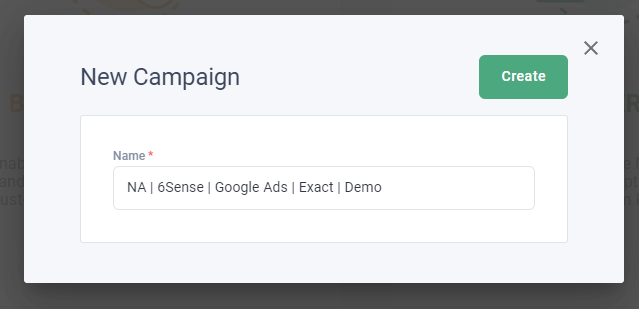
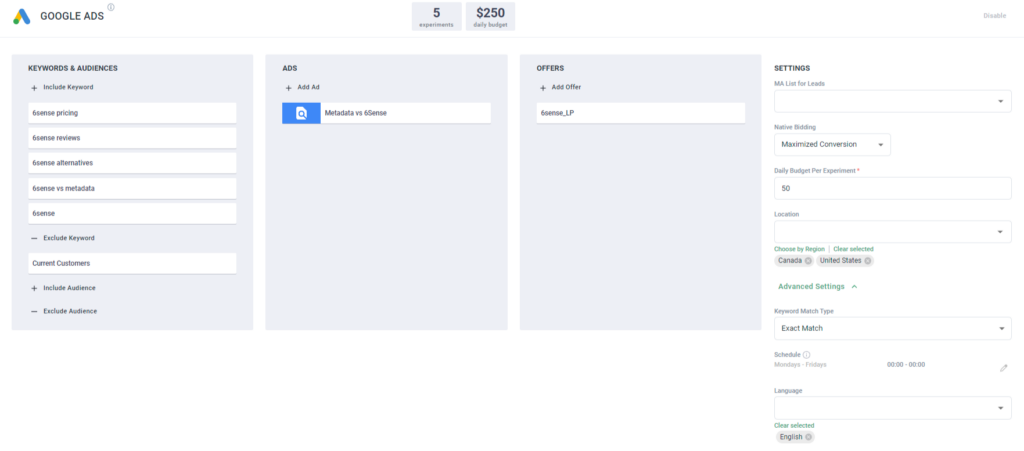
For more information on creating landing page offers read this article: https://help.metadata.io/ Here’s an example landing page of Metadata vs 6Sense: https://metadata.io/metadata-vs-6sense Your landing pages should address the comparison intent of visitors. Include: Maintain strong message matching between your ads and landing pages for a consistent experience that builds trust and increases conversion probability. Head over to Library → Ads → Add New Ad → Google Ads Enter your competitive ad copy for a minimum of 3 headlines and 2 descriptions. We recommend the following: Here’s an example RSA of Metadata vs 6Sense: Focus on your unique value proposition while staying professional and compliant. Key elements include: Avoid using trademarked terms to prevent legal issues. Focus on emotional and psychological benefits that resonate with your audience’s pain points. Head over to Campaigns → Add New Campaign → Lead Generation (You can do brand awareness, but we recommend Lead Generation for search campaigns). Campaign Name: Enter your campaign name, here’s a simple naming convention you can use: Campaign Ingredients (Keywords/Ads/Offers): You’ll want to create one campaign per competitor so you can have a strong message match with relevant keywords, ads, and a dedicated landing page. Campaign Settings Once you’ve finalized your settings and campaign ingredients, launch your campaign! P.S: If you want to test your multiple match types just duplicate your original campaign and make those adjustments. After launching your campaigns, monitor performance and optimize accordingly. Track these essential metrics: Optimize campaigns by: Focus on the quality of traffic and leads generated, rather than just raw numbers. Regularly review your impression share and adjust your strategy accordingly. Implement negative keywords to prevent your ads from showing on irrelevant searches. This ensures your budget is spent on the most qualified clicks. Set up audience signals using customer lists and website visitors. Create similar audiences to expand your reach to prospects similar to your existing customers. Always stay updated on legal guidelines. Some regions have strict laws regarding the use of competitor trademarks in ads. Consult legal counsel if unsure.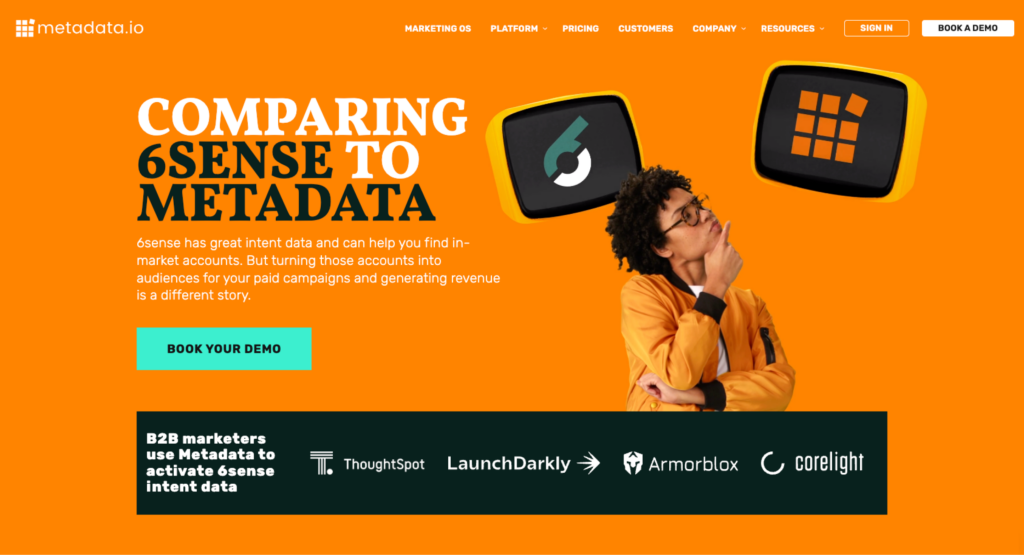
Crafting High-Converting Landing Pages
Write your competitive search ad copy with responsive search ads.
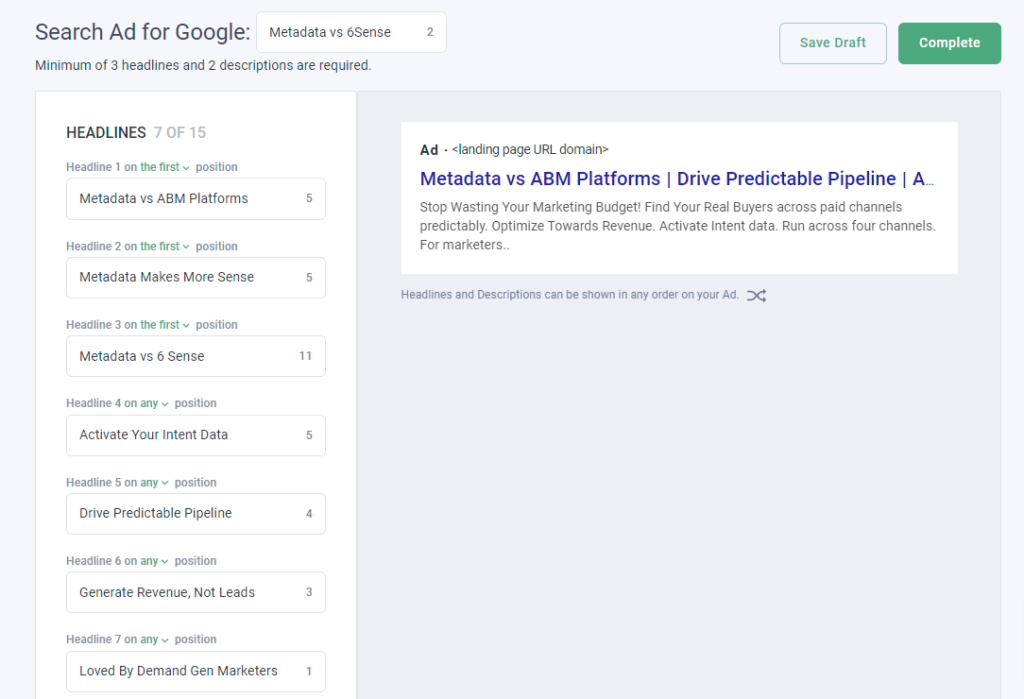
Writing Competitive Ad Copy
Set up and launch your competitive search campaigns!
Monitoring and Optimization
Key Metrics to Track
Optimization Strategies
Advanced Tips for Competitor Campaigns
Utilize Negative Keywords
Leverage Audience Signals
Compliance and Legal Considerations