Table of Contents
Marketing workflow automation is how you stop manually uploading audience lists and start building a system that runs itself—from the first ad click to closed deal. This guide walks you through what it actually is, why it matters for B2B teams spending serious money on ads, and how to build workflows that connect your marketing spend directly to revenue.
Marketing workflow automation is a series of automated tasks that guide potential customers through your marketing and sales process without you touching anything. This means when someone takes a specific action—like downloading your ebook—the system automatically sends follow-up emails, adds them to ad campaigns, and updates your CRM based on rules you set once.
Think of it like setting up dominoes. You arrange them in a specific pattern, then knock over the first one. Everything else happens automatically in the exact sequence you designed.
The whole point is getting the right message to the right person at the right time, at scale. Instead of manually sending emails to every single lead or launching individual ad campaigns one by one, you build a system that runs itself. It’s how marketing teams stop drowning in busywork and start building a predictable engine that actually generates revenue.
Your days are probably filled with exporting CSVs, manually uploading audience lists, and staring at spreadsheets trying to figure out what’s working. That’s exactly why you need this.
Marketing workflow automation isn’t just about saving time. It’s about proving your team’s value and connecting your work directly to what the business cares about: revenue.
No one gets into marketing because they love manually updating campaign budgets or copying audience lists between platforms. Yet that’s where most marketers spend their time. It’s low-value work that burns you out and keeps you from thinking strategically.
Automating these tasks frees you up to do the work you’re actually good at. Strategy, creative thinking, talking to customers. Let the machines handle the tedious stuff so you can focus on what moves the needle.
You can’t scale by working more hours. There’s a hard limit to how many campaigns you can manually manage or how many leads you can personally follow up with.
Automation removes that ceiling. You can nurture thousands of leads at once, each with a personalized experience. You can run hundreds of campaign experiments simultaneously to find what works. It’s the only way to grow your impact without doubling your headcount.
Most marketing reporting is a mess of vanity metrics. Clicks, impressions, and open rates don’t pay the bills. Your CEO wants to know how much pipeline and revenue your marketing spend is generating.
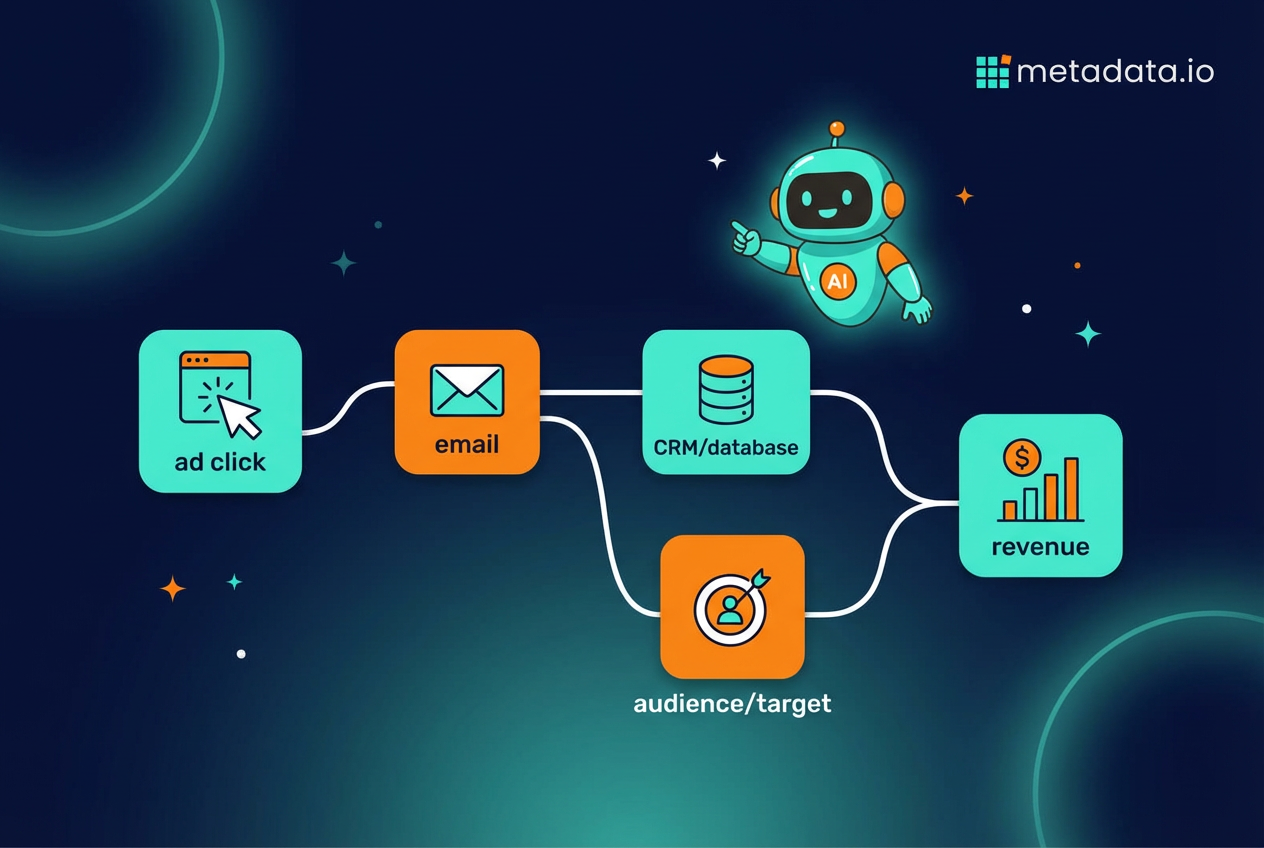
Proper workflow automation connects all the dots. By linking your ad platforms, CRM, and marketing tools, you can track someone’s entire journey from their first ad click to becoming a closed deal. This gives you a clear picture of your return on investment and helps you make smarter budget decisions.
Every marketing workflow is made up of three core components. Understanding these building blocks is the key to designing automations that actually work.
Think of it like building with Legos. You have different types of bricks, and you can combine them in endless ways to build whatever you need.
A trigger is the event that kicks off a workflow. This means something happens, and the automation sequence begins immediately.
Common triggers in B2B marketing:
Conditions are the rules that guide a contact through different paths in your workflow. This is how you make sure the journey is relevant to each person based on their behavior or properties.
Conditions create branches in your workflow:
Actions are the actual tasks that the system executes automatically once a trigger fires and conditions are met. This is where most people think too small because actions can be way more than just "send an email."
| Action Type | Example |
|---|---|
| Communication | Send a personalized email or text message |
| CRM Update | Change a lead’s status, update contact properties, or assign tasks to sales reps |
| Audience Management | Add or remove contacts from email lists or paid advertising audiences |
| Notifications | Send Slack or email alerts to your marketing or sales team |
| Ad Campaign | Launch new ad sets on LinkedIn targeting contacts in this workflow |
Let’s look at how this works in the real world. These examples go beyond basic "welcome" emails and focus on actually generating pipeline.
These aren’t just about sending messages. They’re about creating a cohesive experience across channels, from the inbox to the social feed.
Someone downloads a guide or signs up for your newsletter. Instead of a single "thank you" email, you put them into a workflow designed to educate and qualify them over time.
Here’s how it works:
This workflow is for people showing clear buying signals but aren’t ready to talk to sales yet. The goal is staying top-of-mind and providing value until they’re ready to raise their hand.
Just because a deal was lost doesn’t mean it’s lost forever. This automated campaign workflow re-engages contacts from deals that didn’t pan out, typically 6-12 months later.
Building your first workflow can feel intimidating, but it breaks down into a few logical steps. The key is starting simple, focusing on a specific goal, and building from there.
Don’t try to build a massive, multi-channel, 50-step workflow on your first attempt. Follow this process to get your marketing process automation off the ground.
What are you trying to achieve with this workflow? Be specific. A vague goal like "nurture leads" isn’t helpful because you can’t measure it.
Good goals are measurable and specific:
Get out a whiteboard or piece of paper and sketch out the ideal path you want your customer to take. What’s the first thing they do? What should happen next? What questions will they have along the way?
This doesn’t have to be complicated. Just think through the sequence of events from the trigger to the final goal. This map becomes the blueprint for your workflow.
Based on your journey map, identify the specific triggers and actions you’ll need. What event starts the process? What emails need to be sent? What ads need to be shown? What data needs to be updated in your CRM?
List them all out. This is where you connect your strategy to the actual mechanics of the automation software.
You’ll need a platform to build and run your workflows. Many tools can handle basic email automation, but B2B marketing requires more. You need a system that can talk to your CRM and your ad platforms at the same time.
Look for tools that can trigger workflows based on CRM data and take actions across different channels, not just email. The ability to add someone to a paid ad audience is just as important as sending them an email.
Before you set your workflow live for everyone, test it with an internal contact or yourself. Make sure the triggers fire correctly, the right emails are sent, and the delays work as expected.
Once it’s live, don’t just set it and forget it. Monitor its performance against the goal you set in step one. Are you hitting your numbers? Where are people dropping off? Use that data to make improvements over time.
Here’s the hard truth most vendors won’t tell you. The marketing workflow automation tools you’re used to—the HubSpots and Marketos of the world—were built for a different era. They were designed around email as the primary channel.
They’re great for sending email sequences. But your buyers don’t just live in their inboxes. They’re on LinkedIn, Google, Reddit, and a dozen other places. Traditional tools are clumsy and disconnected when it comes to automating anything beyond email.
You end up with a Frankenstein’s monster of a tech stack. You build an email workflow in one tool, then you have to manually export a list and upload it to LinkedIn to run ads. There’s no single, automated flow. They create silos instead of breaking them down, which defeats the whole purpose.
What if you didn’t have to manually build every single workflow? What if you could just define the goal—like generating pipeline from target accounts—and let AI figure out the best way to get there?
That’s the new reality of marketing workflow automation. Instead of you mapping out every trigger, condition, and action for your paid campaigns, AI agents can do it for you. They autonomously execute thousands of campaign experiments, testing different audiences, creatives, and channels in real-time.
The "workflow" becomes the AI constantly learning from performance data and optimizing for what actually drives revenue. This approach automates the strategy, not just the tasks. It frees you from the impossible job of manually testing every variable and lets you focus on the big picture.
You stop being a workflow builder and become a marketing strategist, guiding the AI toward your business goals. This is how you stop just doing marketing and start generating predictable revenue. It’s how you fall in love with marketing again.
Frequently Asked Questions (FAQ)
What's the difference between marketing automation and marketing workflow automation?
How long does it take to set up a marketing automation workflow?
Can marketing workflow automation work for small businesses?
What happens if someone unsubscribes in the middle of a workflow?
How do you know if your marketing workflow is actually working?
Can you run multiple workflows for the same person at once?
What's the biggest mistake people make with marketing workflow automation?