
Table of Contents
Small businesses need marketing tools to grow without burning out, but most marketers waste time duct-taping together free software that doesn’t talk to each other and measures the wrong things. This guide breaks down which tools you actually need, how to pick them without getting overwhelmed, and when to stop counting vanity metrics and start connecting your marketing spend to real revenue.
Marketing tools for small businesses are software and platforms that help you reach customers, automate boring tasks, and see what’s working. This means instead of manually sending 500 emails or guessing which ad brought in sales, the software does it for you while showing you the results.
Here’s the truth: you can’t scale a business doing everything by hand. You’ll burn out trying to post on five social platforms, send personalized emails, track website visitors, and manage customer relationships all at once. Good tools handle the repetitive stuff so you can focus on strategy and growth.
The right tools also save you money. When you know exactly which marketing channel brings in customers, you stop wasting budget on the ones that don’t. You make decisions based on real data instead of hunches.
Walking into the world of marketing software feels like being dropped into a foreign country where everyone speaks in acronyms, with 15,384 marketing technology solutions to choose from in 2025. CRM, SEO, CMS, SaaS—it’s a lot. But picking the right tools doesn’t have to be complicated if you follow a simple process.
The goal isn’t to find one perfect tool. It’s to build a small stack of software that solves your actual problems without emptying your bank account.
Before you look at any software, write down what you’re trying to accomplish. Are you trying to get more website traffic? Generate leads? Build an email list? Close more sales?
Your goals determine which tools matter. If you need leads, a landing page builder and a CRM are more important than a social media scheduler. If you need traffic, SEO tools and content creation software move to the top of the list.
Be specific. "Get more customers" is too vague. "Generate 50 qualified leads per month from LinkedIn ads" tells you exactly what you need.
Marketing tools range from free to thousands per month. Figure out what you can actually afford before you start shopping.
Here’s the thing though—don’t just look at price. Look at value. A $100/month tool that saves you 10 hours of work and helps you close two extra deals is worth way more than a free tool that wastes your time and generates zero results, especially when marketing automation delivers 544% ROI over three years.
Many essential tools offer free plans or cheap starter tiers. Start there. You can always upgrade later when you’re making more money.
Be honest about your technical abilities. If you’re a solo marketer or a small team, you need tools that are simple and intuitive.
You don’t have time to spend three weeks learning complicated software. Look for tools with clean interfaces, good tutorials, and responsive customer support. The best tool is the one you’ll actually use, not the one with the most features.
Your marketing tools need to talk to each other. When someone fills out a form on your website, that info should automatically flow into your email tool and your CRM without you lifting a finger.
This is where small business marketing automation comes in. Connected tools create workflows that run on autopilot. You set them up once, and they keep working while you sleep.
Before buying any tool, check if it integrates with the software you already use. If it doesn’t play nice with others, it’ll create more work instead of less.
Don’t buy a dozen tools on day one. Start with one or two that solve your biggest problem right now.
Most tools offer free trials. Use them. Spend a week actually using the software to see if it fits your workflow. Is it easy to navigate? Does it do what you need? If not, cancel and try something else.
It’s way better to test a few options than to get locked into a year-long contract for software you hate.
The world of marketing software is huge. To make sense of it, break it down by what the tools actually do. Here are the main categories of online marketing tools for small businesses.
You don’t need something from every category immediately. Start with what matches the goals you defined earlier.
Email is still one of the best ways to reach your customers, generating $36-$38 for every $1 spent. Email marketing tools help you build subscriber lists, send newsletters, and automate messages based on customer behavior.
These tools are essential for nurturing leads and staying in touch with customers. When someone buys from you once, email is how you get them to buy again.
Mailchimp is popular because it’s easy to use and offers a free plan. You get templates, basic automation, and simple analytics. It’s a solid starting point if you’ve never done email marketing before.
Constant Contact is another beginner-friendly option. It has strong features for event marketing and surveys on top of standard email campaigns. The interface is clean and the support is helpful.
Posting on Instagram, Facebook, LinkedIn, Twitter, and TikTok every single day is exhausting. Social media marketing tools for small business let you schedule posts in advance, respond to comments, and see your performance across all platforms in one place.
Buffer is known for being simple. You connect your accounts, queue up your posts, and Buffer publishes them at the times you choose. The analytics show you which posts get the most engagement without overwhelming you with data.
Hootsuite is more comprehensive. You can schedule content, monitor mentions of your brand, and manage multiple team members. It’s a bit more complex than Buffer but gives you more control if you’re managing a lot of social activity.
You don’t need to hire a designer to create professional-looking graphics. These tools give you templates and drag-and-drop editors to make social posts, ads, presentations, and more.
Canva is the go-to for non-designers. It has thousands of templates for everything from Instagram stories to business cards. You can create something that looks good in about five minutes.
Figma has a steeper learning curve but offers more power. It’s great if you have team members who need to collaborate on designs or give feedback. The free tier is generous.
SEO (Search Engine Optimization) is how you get your website to show up on Google when people search for what you sell. SEO tools help you find the right keywords, analyze competitors, and track your rankings.
These tools double as small business market research tools. They show you what your audience is searching for and what your competitors are doing to win those searches.
Ahrefs and Semrush are the heavy hitters. They’re expensive but packed with data on keywords, backlinks, and competitor strategies. Both offer limited free tools you can use to get started.
Google Search Console is completely free and absolutely essential. It shows you how your site performs in Google search, which keywords you rank for, and if there are technical errors you need to fix.
A CRM (Customer Relationship Management) tool is your digital address book for customers and leads. It stores contact info, tracks every interaction, and helps you manage your sales pipeline.
Think of it as the hub for your marketing and sales tools. Everything flows into your CRM so you have one place to see the full customer journey.
HubSpot CRM is free and more than enough for most small businesses. You can organize contacts, track deals, and see your entire sales funnel without paying a dime.
Salesforce Essentials is the small business version of the world’s most popular CRM. It costs money but offers more features and customization as your team grows.
Your website is your digital storefront. These tools let you create professional sites and targeted campaign pages without writing code.
Leadpages is focused on one thing: creating landing pages that convert visitors into leads. If your main goal is lead generation, this is a great choice. You can build and publish pages in minutes.
Webflow gives you more design control without requiring coding skills. It’s more advanced than a simple page builder but lets you create a fully custom website that looks exactly how you want.
You need to know what’s happening on your website. Analytics tools show you how many people visit, where they come from, which pages they look at, and where they leave.
Google Analytics is free and tracks everything about your website traffic. It tells you which marketing channels bring in visitors and which pages convert them into customers.
Hotjar shows you how people actually use your site through heatmaps and session recordings. You can watch visitors navigate your pages and see where they get confused or stuck.
At first, using a handful of free tools feels smart. Mailchimp for emails. Buffer for social. Google Sheets as a makeshift CRM. Maybe a few others. You’re saving money and getting stuff done.
Then your business grows. More leads. More customers. More data. Suddenly you’re spending hours every week exporting CSVs from one tool and importing them into another just to make things work together.
You can’t easily tell if the person who clicked your email is the same one who visited your website three times and finally bought your product. Your data lives in silos. Your team wastes time on manual busywork instead of actual marketing.
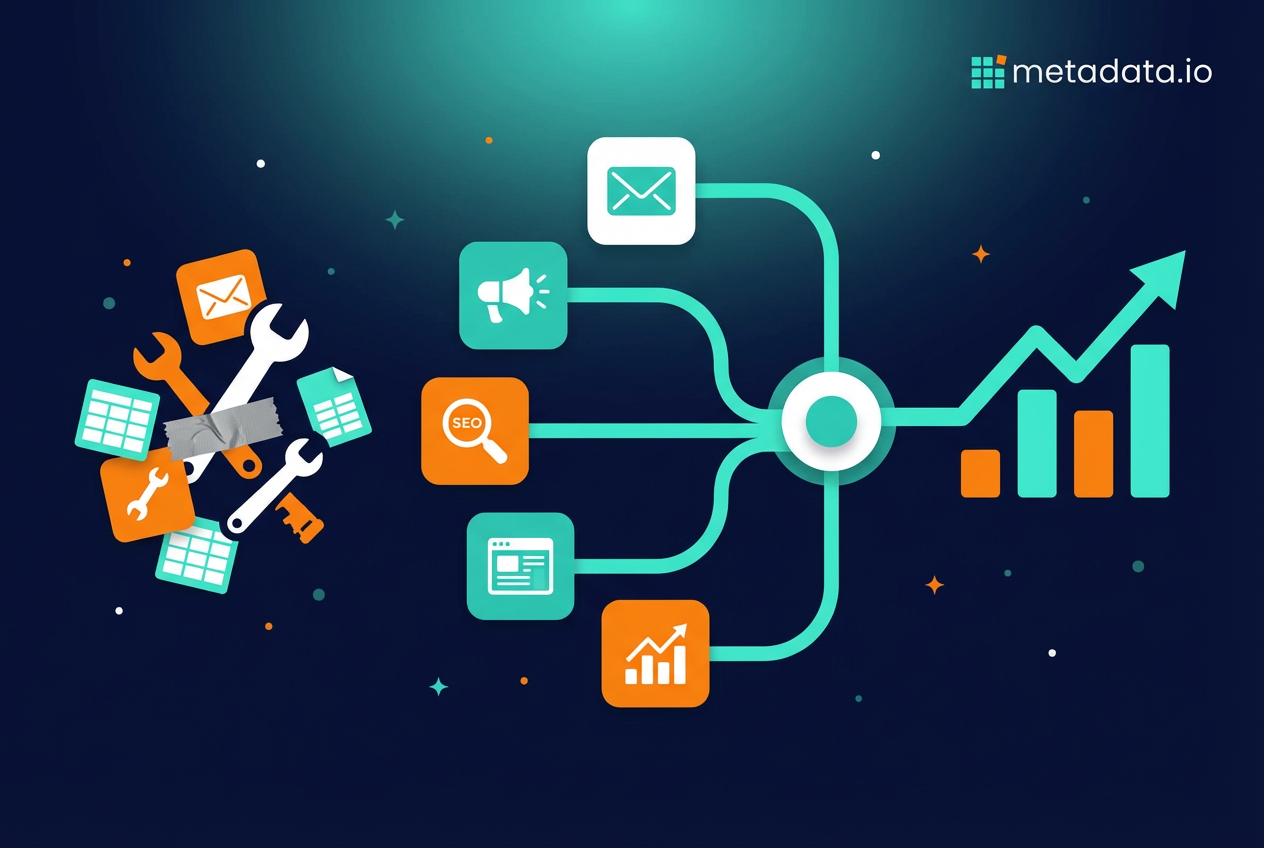
This is the duct-tape stage. Your marketing software for small business is a patchwork of disconnected systems held together with spreadsheets and hope. You’re working for your tools instead of the other way around.
This is when you need to consider a small business marketing platform—software that connects your marketing activities to your actual business results in one place.
Here’s what nobody tells you about marketing tools: most of them measure the wrong things.
They show you email open rates, social media followers, website visitors, and ad impressions. Those numbers feel good. They go up. You feel productive.
But none of them pay your bills. Vanity metrics don’t matter if they don’t lead to revenue.
The point of marketing isn’t to get more likes or email opens. It’s to generate customers and revenue. As your business matures, your focus needs to shift from activity to results.
A real digital marketing platform connects your marketing directly to your sales data. It shows you exactly which ads, emails, and campaigns bring in qualified leads and paying customers. Not just clicks. Not just impressions. Actual revenue.
This lets you stop wasting money on channels that don’t perform and double down on the ones that do. You move from "doing marketing" to building a predictable engine for growth.
If you’re spending real money on ads—say $50k a month or more—and you can’t clearly connect that spend to pipeline and revenue, you’re flying blind like the 25% of PPC budget wasted due to poor tracking and management.
That’s where a platform like Metadata comes in. It’s built specifically for B2B companies that are serious about turning ad spend into revenue. The AI handles campaign execution, audience targeting, and budget optimization across channels while you focus on strategy. You see exactly which campaigns generate pipeline, not just engagement.
If you’re tired of duct tape and ready to connect your marketing spend directly to revenue, book a demo.
Frequently Asked Questions (FAQ)
How much should a small business spend on marketing tools?
Can you run marketing with only free tools?
What's the difference between a marketing tool and a marketing platform?
How do you know if a marketing tool is actually working?
Should small businesses use the same tools as enterprise companies?
How many marketing tools does a small business actually need?
What happens if your marketing tools don't integrate with each other?



